

Pt: Primeiro baixe o phplib Aqui
Eng: First download the phplib Aqui
Pt: Descompacte o arquivo e renomeie para phplib.
Eng: Unzip the file and rename it phplib.
Pt: Agora para copiar o arquivo para pasta /etc/php5/ vamos abrir o console pois precisamos utilizar o comando como root.
Eng: Now to copy the file to your ** /etc/php5 / will open the console because we use the command as ** root .
sudo mv '/home/willem/Desktop/phplib/' '/etc/php5/'
Pt: Agora precisamos alterar o php.ini para colocar o caminho do arquivo principal do phplib que é o prepend.php3, então vamos abrir o console novamente para utilizar um comando para abrir o arquivo texto e alterar vou utilizar um editor de texto gráfico.
Eng: Now we need to change the php.ini to put the file path Main phplib that is ** prepend.php3 **, then we open the console again to use a command to open the text file and I use a change graphical text editor.
sudo gedit /etc/php5/apache2/php.ini
Pt: Procure por auto_prepend_file
Eng: Search for ** auto_prepend_file **
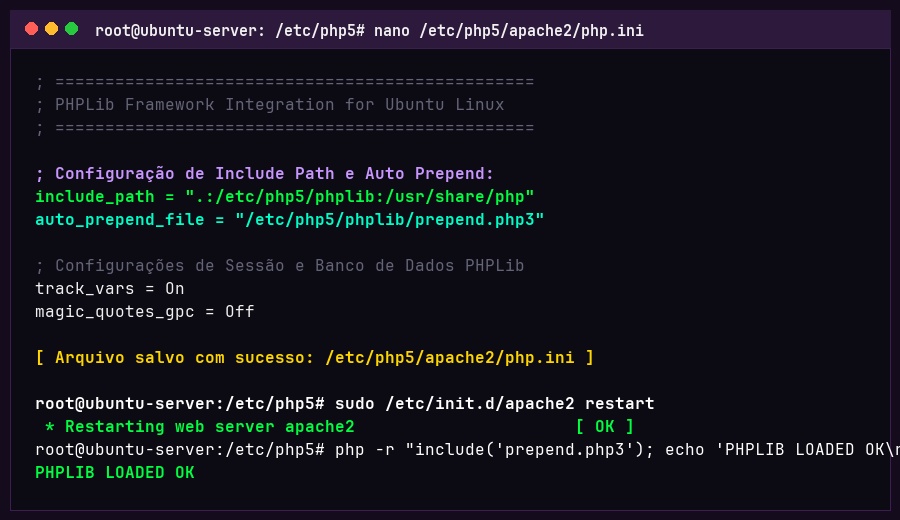
auto_prepend_file = "/etc/php5/phplib/php/prepend.php3"
Pt: Basta reiniciar o apache... Pronto está tudo certo e funcionando!
Eng: Just restart apache ... Ready is all right and running!
sudo /etc/init.d/apache2 restart